
How Google Workspace is Overcoming Business Pain Points in 2026
June 4, 2026
Keeping up to date with the latest technology isn’t always easy. Teams are left juggling multiple tools, with data scattered across them, making it harder to be productive. In 2026, Google Workspace is taking a big step forward to address challenges businesses experience head-on, transforming from a suite of productivity tools into a fully AI-driven platform designed to solve real-world pain points.
Last year, Google showed us the potential of AI within Workspace; it was experimental and full of potential. But in 2026, these capabilities have surpassed all expectations. The integration of Gemini directly into Google Workspace means that AI is no longer just an add-on, it’s becoming the backbone of how teams work every day.
Here are some of the updates we heard about firsthand at Google Next in Vegas that are changing the way businesses work and tackling the issues that slow them down.
Pain Point 1: The Information Silo
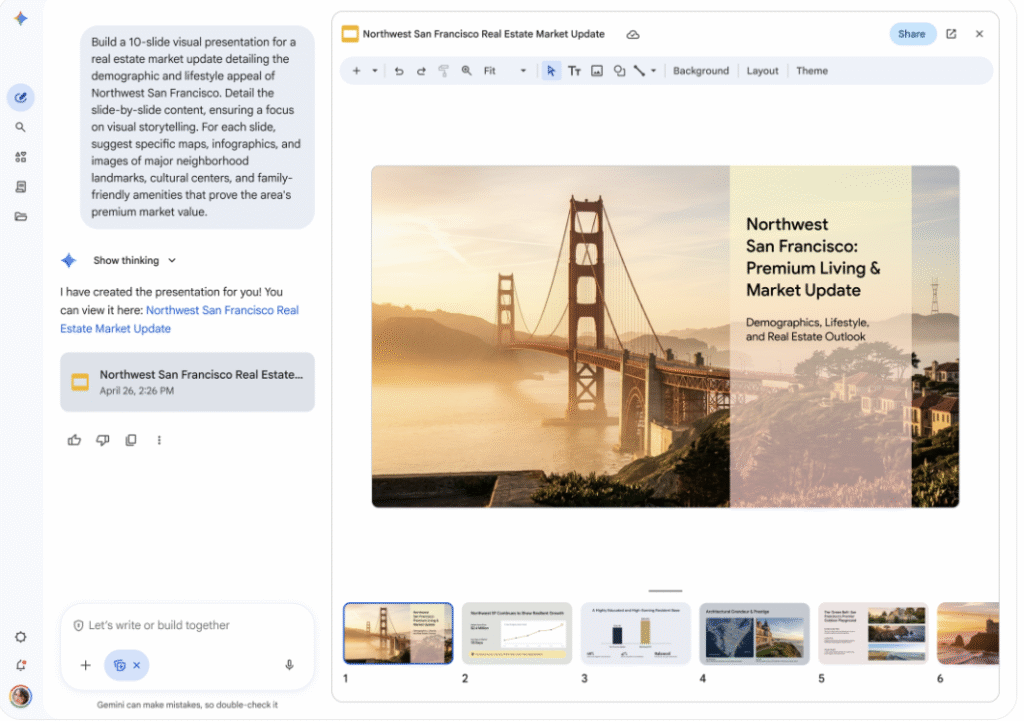
One of the most common struggles for any large team is unstructured data. Important information often gets lost in 50-person chat threads, buried in Drive folders from years ago, or scattered across multiple platforms. This can slow down decision-making, create duplicate work, and ultimately cause unnecessary frustration for teams.
Google’s answer is Workspace Intelligence. By acting as a cohesive memory layer across the entire organisation, it makes it possible to find the information you need with ease. Gemini is now integrated directly into Google Chat. It’s no longer just a chatbot - it functions like a virtual colleague, capable of accessing internal data from across your business.
Whether you need to create a presentation, compile a brief, or generate reports, Gemini can provide instant insights. It’s moving beyond simple ‘search’ into real-time execution, ensuring teams can access the right information exactly when they need it.
Pain Point 2: Inbox Overload

Inbox overload is a universal challenge. Returning from a week away to hundreds or even thousands of unread emails can be overwhelming. Traditionally, teams spend hours manually sorting, prioritising, and catching up, but AI can change that.
Gmail’s new AI Overviews provide a smarter approach. Instead of scanning subject lines, you receive a prioritised briefing at the top of your inbox. It identifies action items, tells you who you need to follow up with, and highlights looming deadlines.
For enterprise leaders and busy professionals, this is the first step towards eliminating the manual to-do list, allowing you to focus on meaningful work rather than administrative catch-up.
Pain Point 3: The "Blank Page" Problem
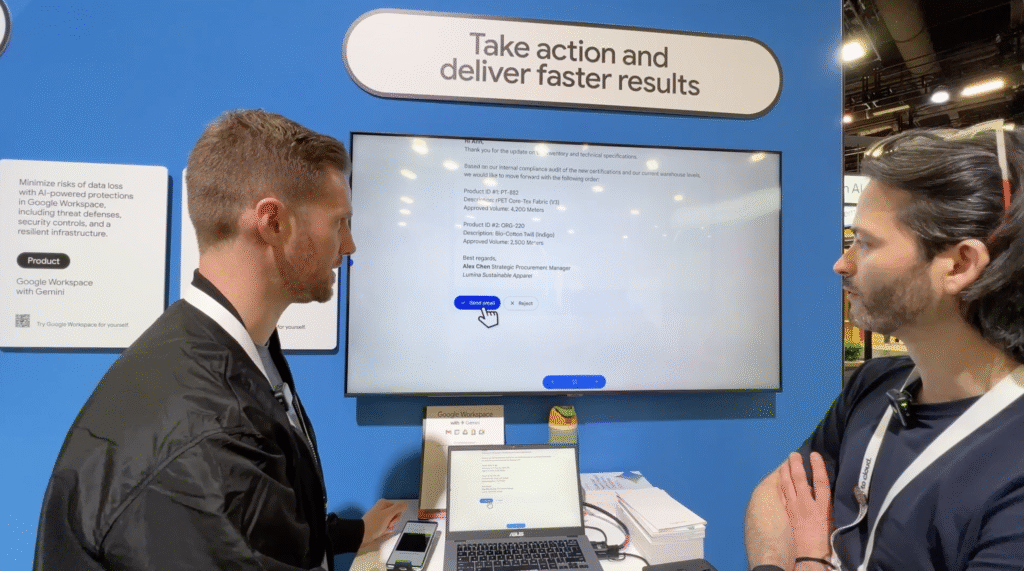
Starting a new project, proposal, or presentation often involves switching between apps, manually pulling in data, and hunting for design elements. This can make what is often quite an exciting part of your job very tedious and time-consuming.
Now, Gemini in Docs and Slides is changing this workflow. It pulls information from Chat, Gmail, Sheets, and more to understand what you’re writing about and provides you with the foundation you need to create professional assets.
- In Docs, Gemini can generate high-quality imagery, create infographics, and integrate your company data, all without leaving the app.
- In Slides, it produces fully editable and unique presentations, building structure, layout, and content while keeping users fully in control.
By embedding AI directly into these core tools, teams can start projects faster, produce professional outputs more efficiently, and focus on creativity instead of logistics.
Pain Point 4: Virtual Meeting Fatigue
Meetings can often feel like a drain on productivity, especially when the purpose is unclear or when follow-up tasks aren’t captured. Google’s latest updates offer some innovative solutions that make meetings more beneficial for everyone involved:
- Vids is a tool for situations where a meeting should’ve been an email, but an email isn’t engaging enough. It allows teams to create production-ready video content featuring AI avatars and company branding, which can be shared with anyone typically invited to a meeting, saving everyone time and improving engagement.
- For unavoidable meetings, Google Meet is getting a massive upgrade, with new features designed to make virtual meetings more straightforward. It can now capture screen-share visuals and integrate them directly into AI-generated meeting notes, helping retain the 'why' of a meeting, not just the 'what'.
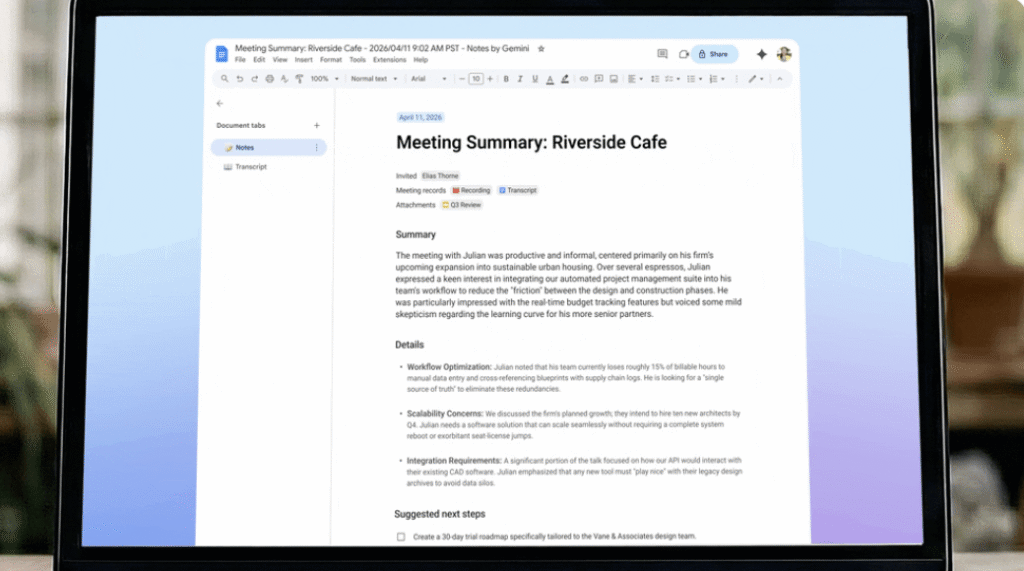
- Google Meet's “Take Notes for Me” feature is also expanding. It can now summarise meetings, extract action items, and create structured Google Docs for follow-ups. Even for meetings held in person or on other platforms, tapping “take notes for me” on the Google Meet home screen will let Gemini capture everything you need from a conversation.
Meetings will no longer be where productivity dies, and these features can reduce the need for follow-ups by improving organisational memory.
Pain Point 5: Data Fragmentation & Manual Repetition
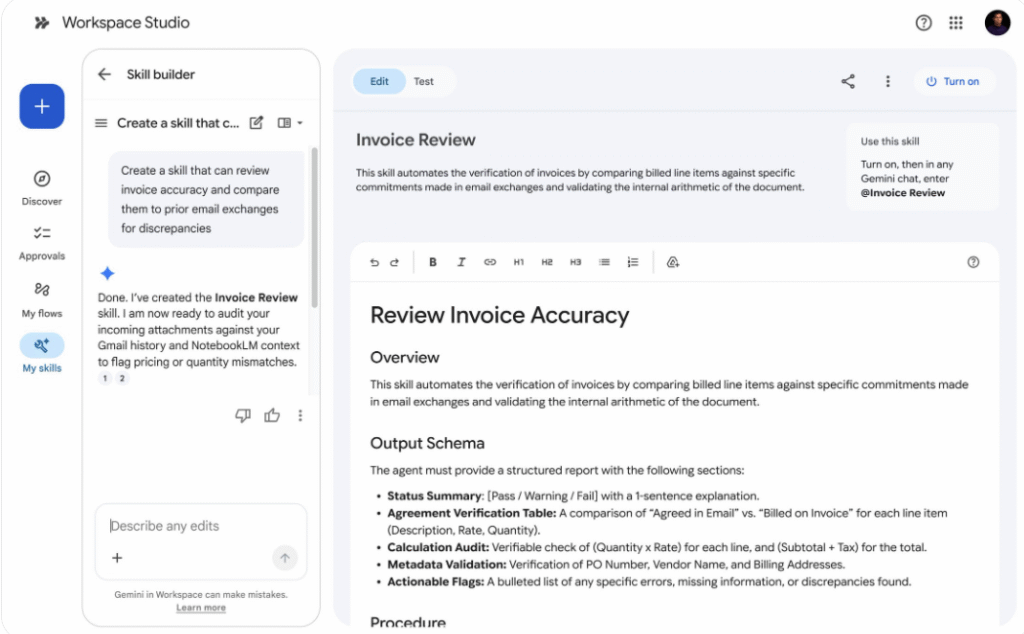
Many teams still spend a significant amount of time every day on "hunting and gathering" information, repeating the same tedious tasks over and over. This is where the true power of AI comes to life for many organisations, moving it beyond a generic assistant. Workspace Studio and Skills introduce agentic automation to handle these repetitive, manual workflows:
Users can build and deploy customised Skills to handle everyday tasks. For instance, you can create a Skill specifically for automating invoice reviews. By comparing new invoices with the latest data in your inbox, the Skill automatically identifies discrepancies, catching billing errors that a human eye might miss.
Skills can be created, shared, and triggered anywhere you use Gemini in Workspace, allowing AI to perform actions rather than simply providing answers. It really is as easy as collaborating on a Google Doc. This transforms Gemini from a personal productivity assistant into a fleet of digital agents that keep your everyday workflows moving efficiently, freeing up employees to focus on more strategic work.
Pain Point 6: The Shadow AI Risk
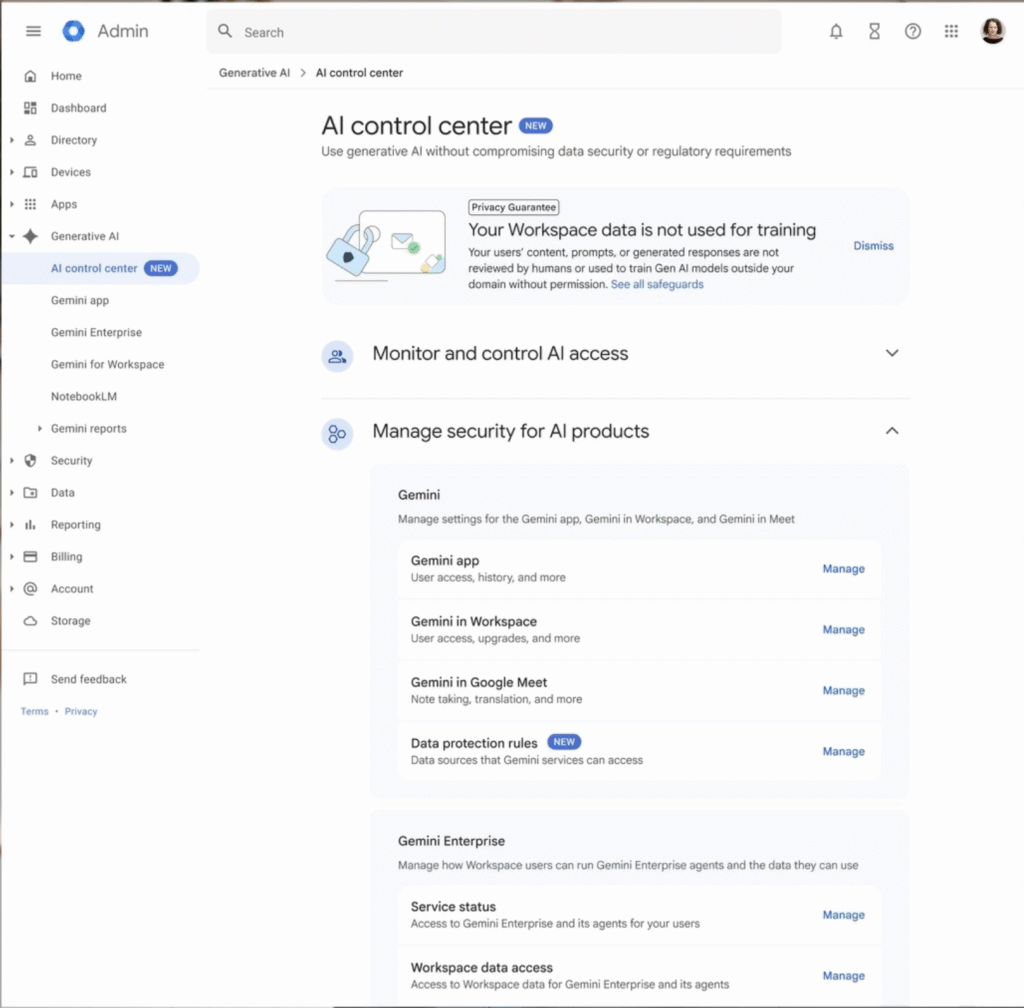
Finally, as AI becomes a bigger part of day-to-day life, businesses understandably have concerns about security and compliance. As you start using agentic automation, you need to consider things like oversharing and data loss, but Google addresses these head-on with new Agent Governance Controls:
- AI Control Centre provides a bird’s-eye view of how AI agents are interacting with your organisation’s data.
- Agent Management offers granular control over who can build agents and, more importantly, what information those agents are allowed to access.
- Workspace Studio Controls allow organisations to monitor and audit all deployed Skills, creating a clear audit trail.
These controls ensure that businesses can innovate using AI while reducing the risk of data leaks. They provide a safety net that makes AI deployment viable at scale. In addition to giving your team a powerful tool, you’re ensuring your data stays exactly where it’s supposed to be.
Changing the Way You Use Google Workspace in 2026
The latest Google Workspace updates are transforming the way businesses work and making it easier than ever to use AI to improve operations. It’s an incredibly exciting time to be working in the Workspace environment, and the tools and features available will only get better.
If you’re considering migrating to Google Workspace or need some training on how to fully leverage these AI-powered updates, Damson Cloud can help. Our experts provide tailored support to ensure you get the most value from your tools. Get in touch today to see what you’re missing out on and how you can make everyday tasks easier for your team.